
Unboxing & Setup
Equipment List
| Equipment Name | Function |
|---|---|
| QingSui Box Host | Overall coordination (manual dog head) |
| USB HD Capture Card (Built-in) | Capture controlled device screen |
| Power Adapter | Power supply for QingSui Box |
| USB Male-to-Male Data Cable | Simulate keyboard/mouse, mount virtual images |
| HDMI HD Cable | Transmit controlled device screen |
| ATX Power Jumper | Control power on/off of controlled device |
| RJ45 Gigabit Network Cable | Connect router, provide network access |
Connection Steps
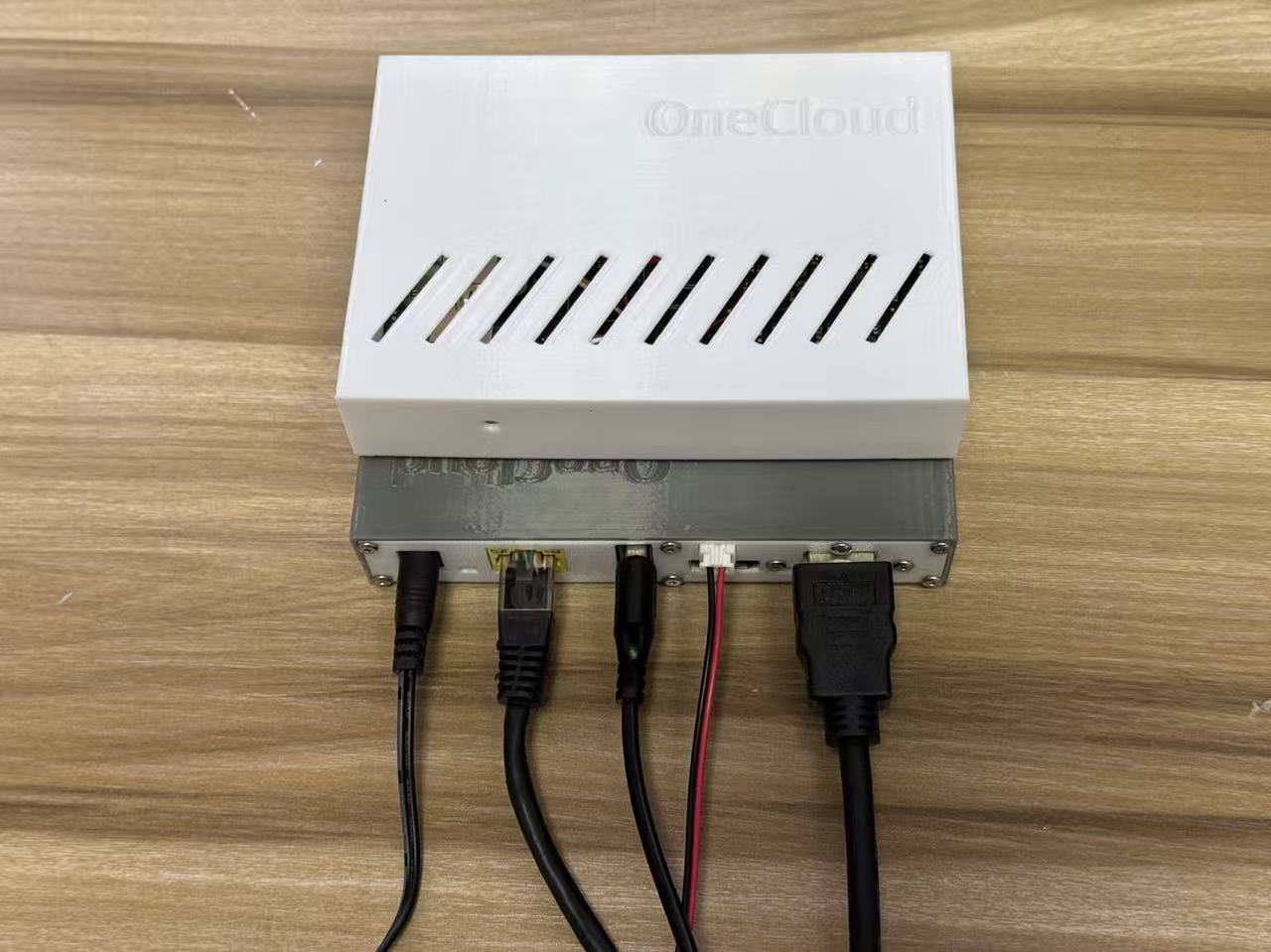
From left to right:
- Left 1 - Power: Connect to power strip, power QingSui Box
- Left 2 - Network Cable: Connect to modem or router, provide network connection
- Left 3 - USB Male-to-Male Cable: Connect to USB port of controlled device, for keyboard/mouse simulation and virtual image mounting
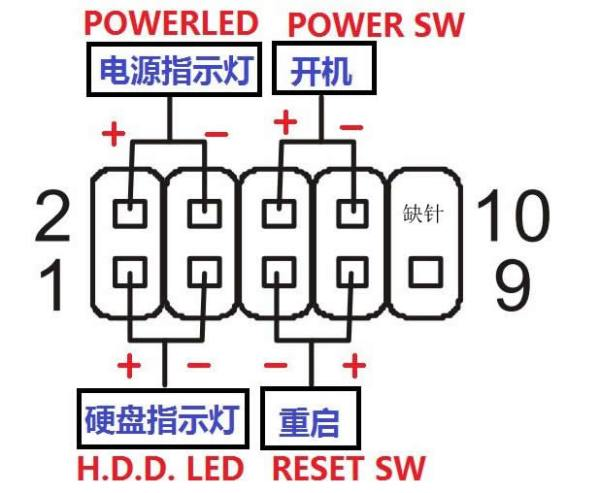
- Left 4 - Power Jumper: Connect to power port of controlled device (see wiring diagram below)
- Left 5 - HDMI HD Cable: Connect to HDMI port of controlled device
- If controlled device has both motherboard and graphics card HDMI ports, prioritize graphics card
💡 Tip: If no display, please check cable connections and resolution settings. HDMI cable should prioritize discrete graphics card port.